
Text
The card presents the space: what it is used for, its size, its capacity and what to know before coming.
They pick a space from the menu and read its card. A path drawn on the floor then takes them to the room they are looking for.
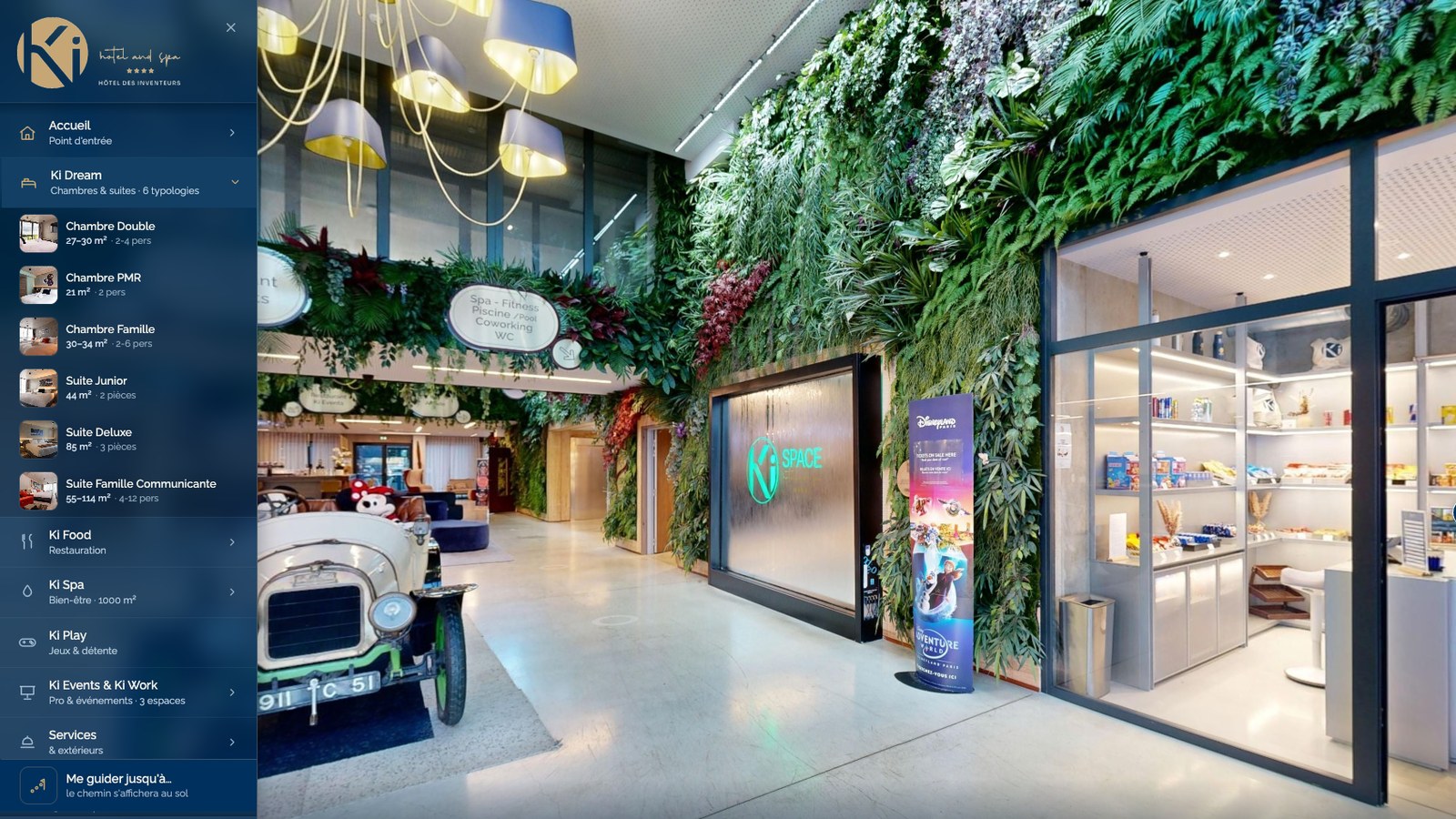
The menu lists your spaces under the names you use with your guests, in French and English. Each entry opens the space from its best angle, with its card.
Ki Dream, Junior Suite
The tour moves along the route, from one space to the next. The path follows the way you would walk and goes around the walls. If the destination is behind the visitor, an arrow shows which way to turn.
Take me to the pool
Banquet, theatre, classroom, U-shape or cocktail: the organizer picks a layout and sees the tables at the room’s real dimensions. They compare options without your team having to set up the room.
Eight round tables for 80
The AI concierge, available as an option, answers from your documents in French or English, depending on the language of the question. When someone asks about a place, it opens that place in the tour.
Your guests read the menu, watch a video or download the floor plan from the space they are visiting.
The card presents the space: what it is used for, its size, its capacity and what to know before coming.
One gallery per space, to show the guest room made up, the dish as it is served or the hall on an event night.
Your brand video or an event video plays right in the card.
Menu, floor plan, spec sheet or rate card: each document opens from the space it belongs to.
Your booking engine or your contact page opens from the card, right when the visitor makes up their mind.
The “Nearby” panel shows places in the area, with their photo, their distance and a link to their website.
Our certified drone pilots produce aerial 360° views, topographic surveys and 3D models of your site.
A campground, a resort or an estate is easier to understand from above. A hotel is best discovered from the inside. Aerial and interior views come together in the same tour.
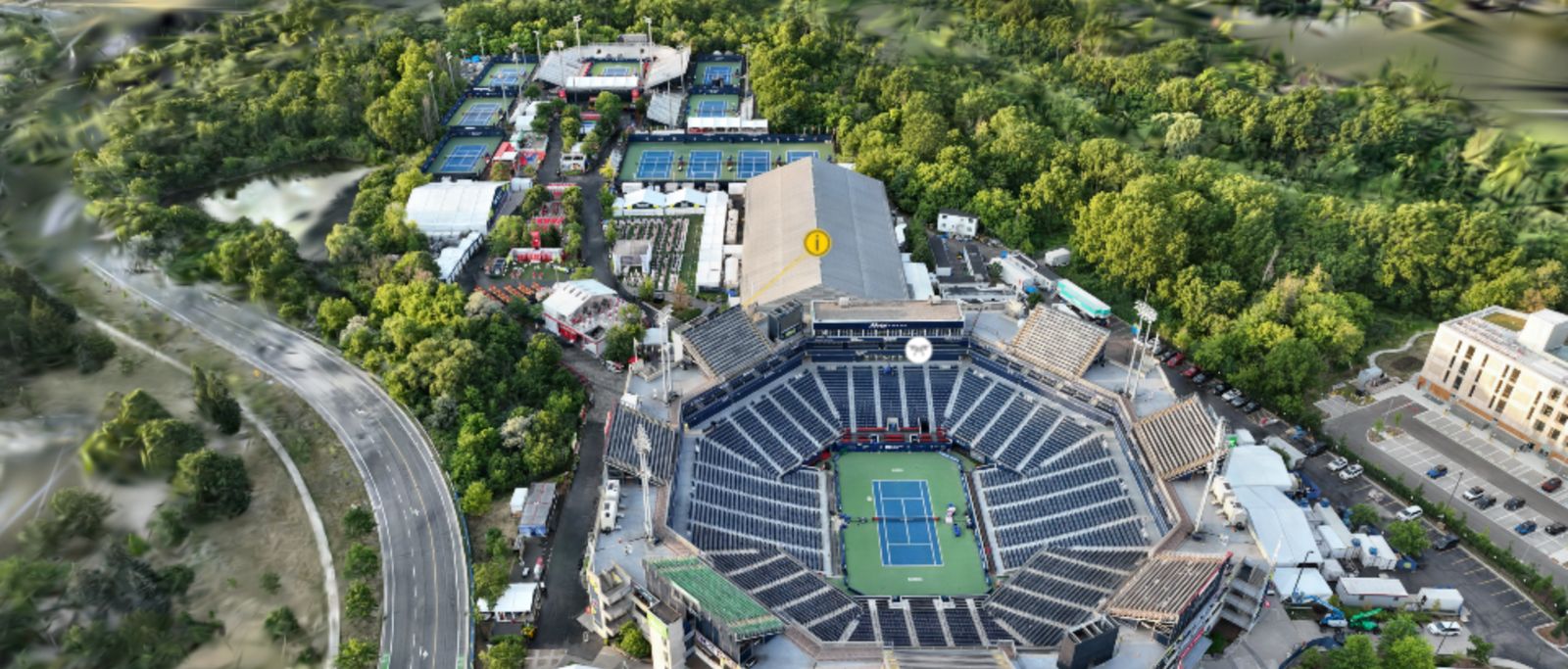
IGA Stadium, Tennis CanadaAerial 360° view
It stays online while we update it.
We change a menu, a rate or a photo at no extra cost.
After a renovation or an expansion, we capture the new spaces and add them to the tour, on quote.
A dot placed on a piece of equipment, an artwork or a service opens a text or an image. We add new ones on request.
We keep the last ten versions of your tour. If needed, the previous one goes back online in thirty seconds.
One link is all it takes, with nothing to install on your side.
On your website. A button, a dedicated page or the tour embedded in one of your pages.
On social media. A link that opens right on a phone.
At the moment of booking. The tour opens on the upgrade or the add-on you sell.
In an email signature. Every email your team sends leads to the tour.
On the brochure. A printed QR code opens the right space directly.
In the sales presentation. Put the same QR code up on the screen.
Scan it with your phone to open the Ki Space tour. Yours prints the same way on your brochures.
360.ecom2vr.com/en/tour/kispace
Someone with reduced mobility can see the levels, distances and access points of your venue before making the trip.
Describe your venue. We will reply with a price and a timeline.