
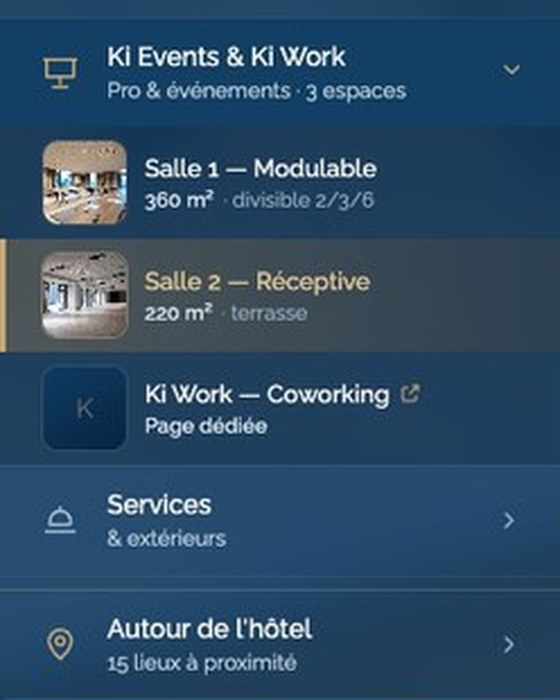
The menu
All your spaces, by name.
Every meeting room and guest room is listed with its size and capacity. One click opens it in the tour.
Your guests pick a room, a meeting space or a site from the menu, then check its size, capacity, floor plans and documents. We capture your property and build the tour. You review every text before it goes live.
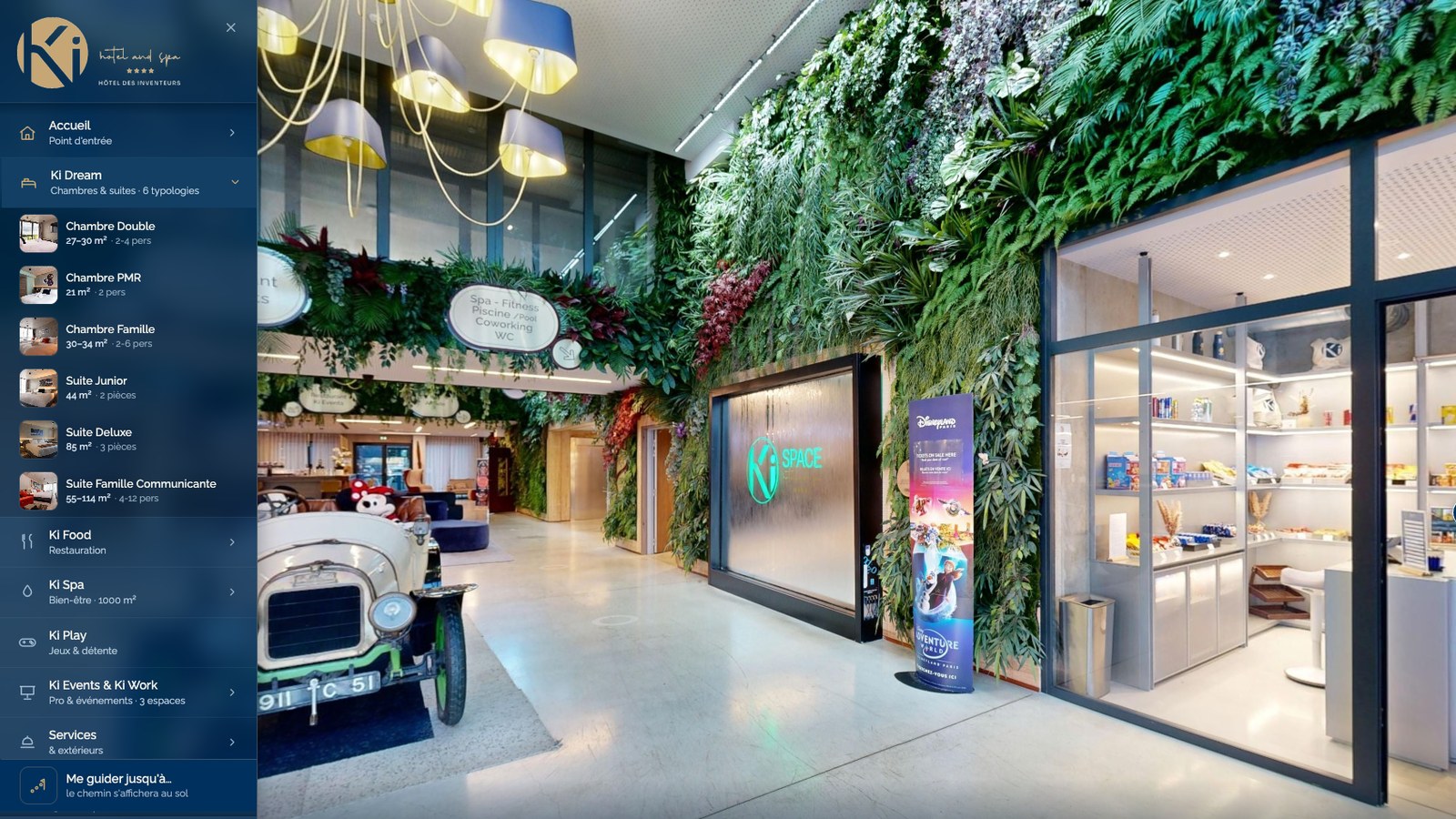
Every meeting room and guest room is listed with its size and capacity. One click opens it in the tour.
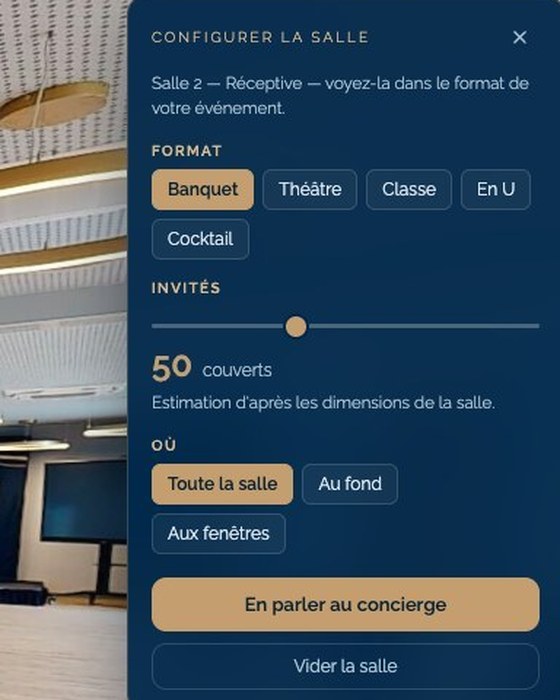
Texts, photos, videos, PDFs and links appear in the space they describe. In a meeting room, the visitor switches the layout and sees the tables at the room’s real dimensions.
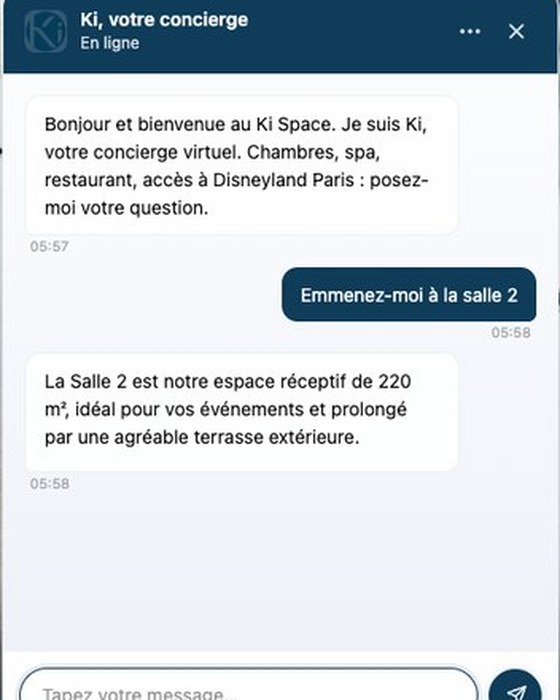
Its answers come from your documents. When it mentions a place, it opens that place in the tour.
Ask and Learn are part of the AI concierge option. See what’s coming next.
The menu, wayfinding, room layouts and your content are included in the platform plan. The AI concierge is an add-on.
The concierge answers from your documents, then opens the place it is talking about.
“Take me to Room 2”
“Ki Dream, Junior Suite”
The route follows the real building and goes around the walls.
“Take me to the pool”
Banquet, theatre, classroom, U-shape or cocktail, with tables at the room’s real dimensions.
“Eight round tables for 80”
We give you one line of code and its instructions. Whoever manages your website pastes it where you want the tour. You can also share the tour by link, by QR code or in your email signature.
Texts, images, documents and links can be changed at no extra cost, as often as needed, and previous versions stay archived. A new capture, after a renovation for example, is quoted separately.
A recent browser on a phone or a computer is all you and your visitors need. Integration with your PMS, your booking engine or your email is scoped and quoted for your system.
The Book button in the tour opens the booking engine you already use.
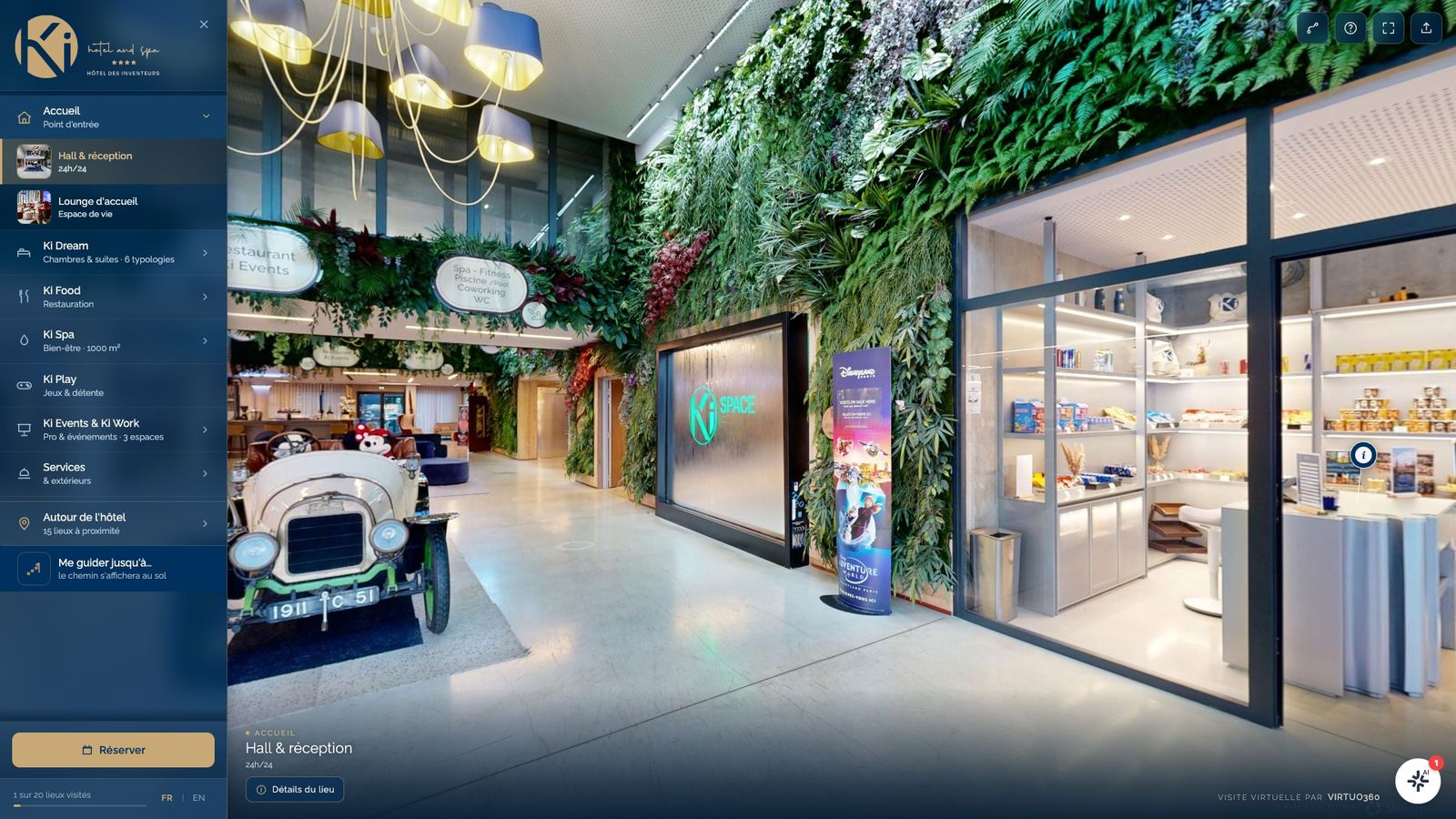
Your guests walk through your spaces in 360°, read their cards and follow the path drawn on the floor.
The tour in detail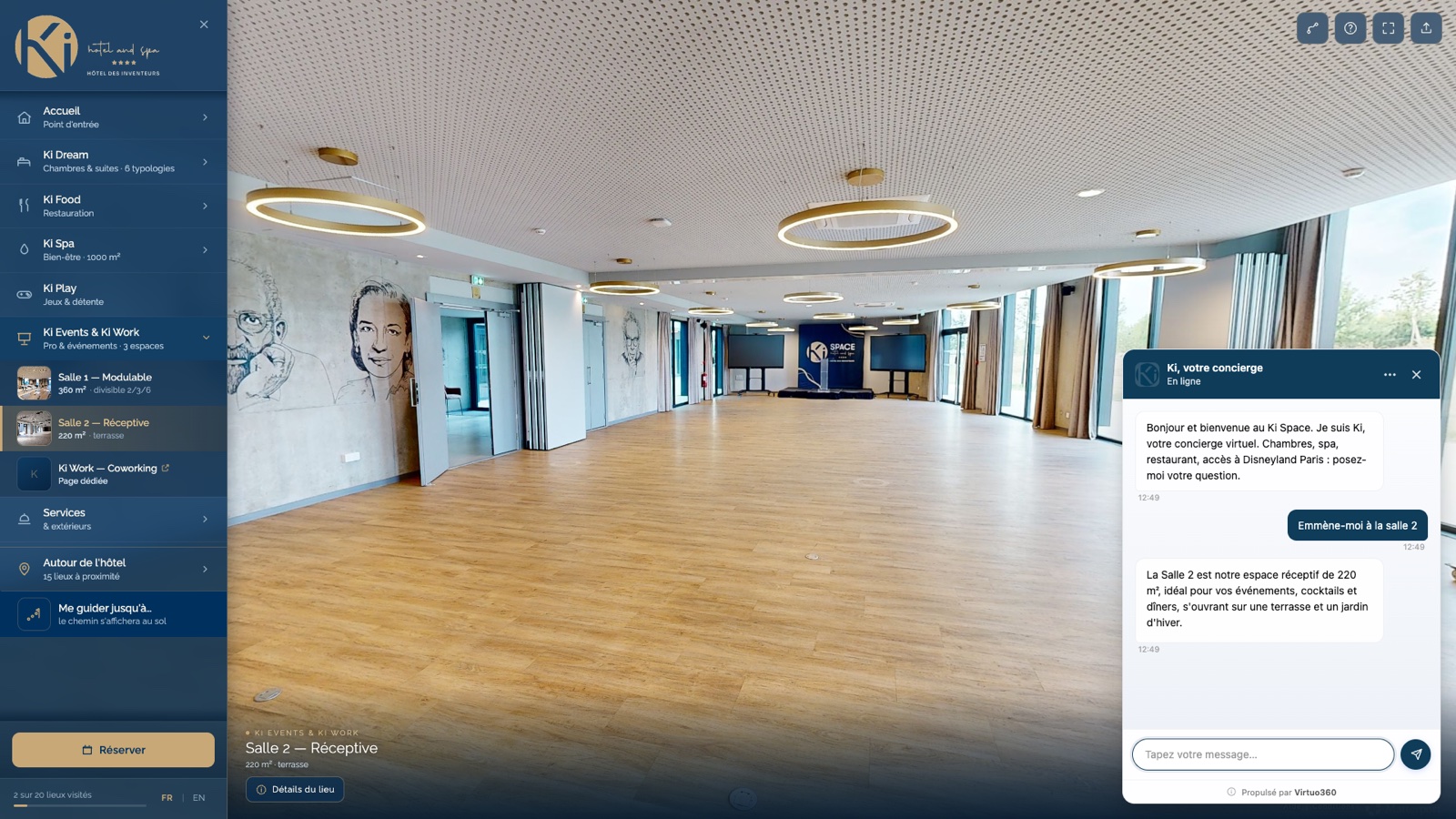
It answers your guests’ questions from your documents, day and night, in French and English. The dashboard shows you what they ask.
The concierge in detailTell us about your property. We will reply in writing with a price and a timeline.